Cut
Read your transcript, trim what you don’t need and ask Claude for changes. Play it back, send your cut and lock it in.

THE EDIT · BY JESS THE TECHIE
Make your reel, stories, carousel and trial reels from the same footage. Drop your video into Claude Code chat and create each version in your style.
THE EDIT · LIFETIME ACCESS
—USD · one payment
Yours for life. All future updates included.
Checking the current offer…
No editing skills needed · guided one-time setup
Keep full creative control.
Turn your footage into reels, stories, carousels and trial reels with The Edit.
MEET TRIAL REELSEditing time excludes initial setup and export. Export time varies with your footage and computer.
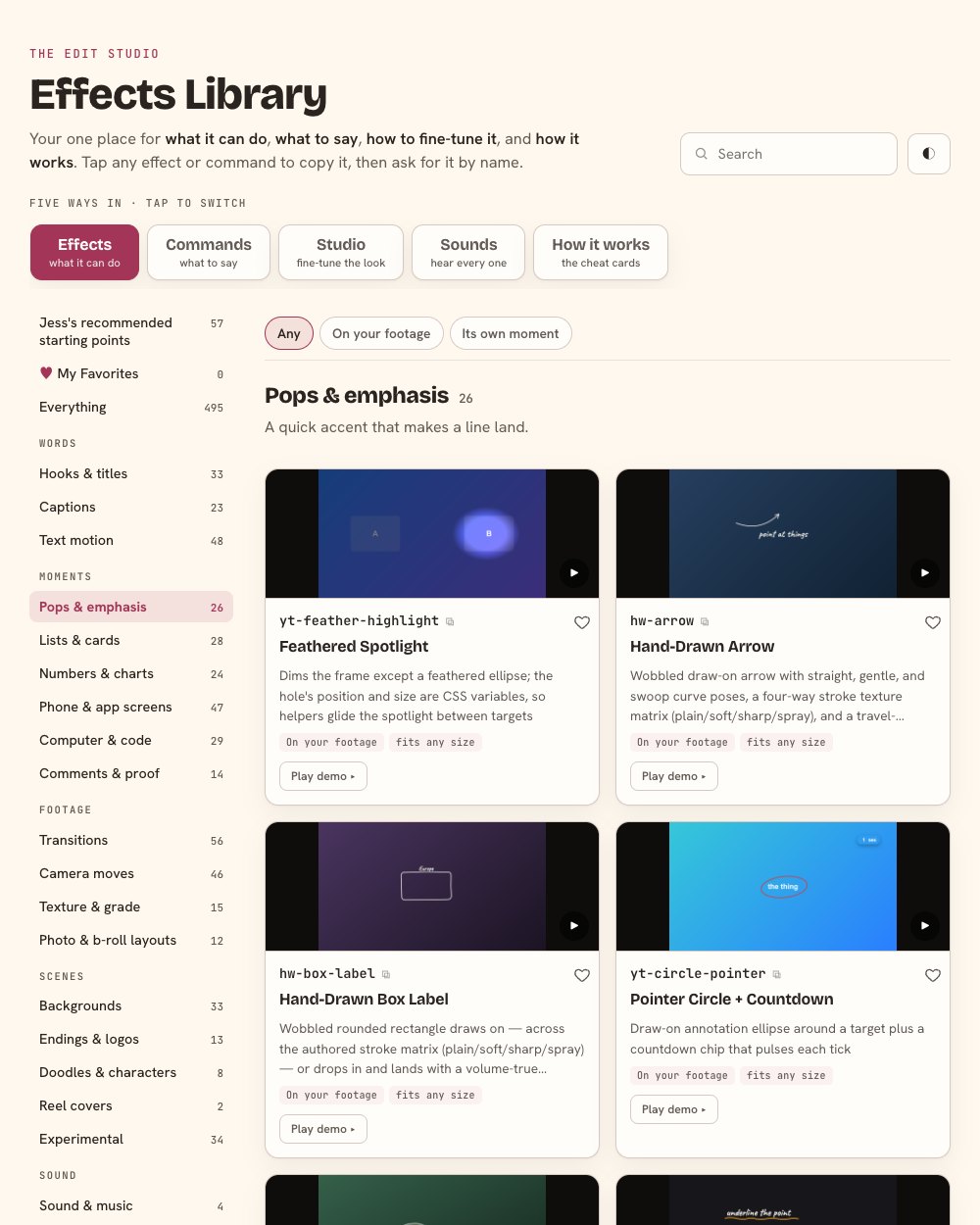
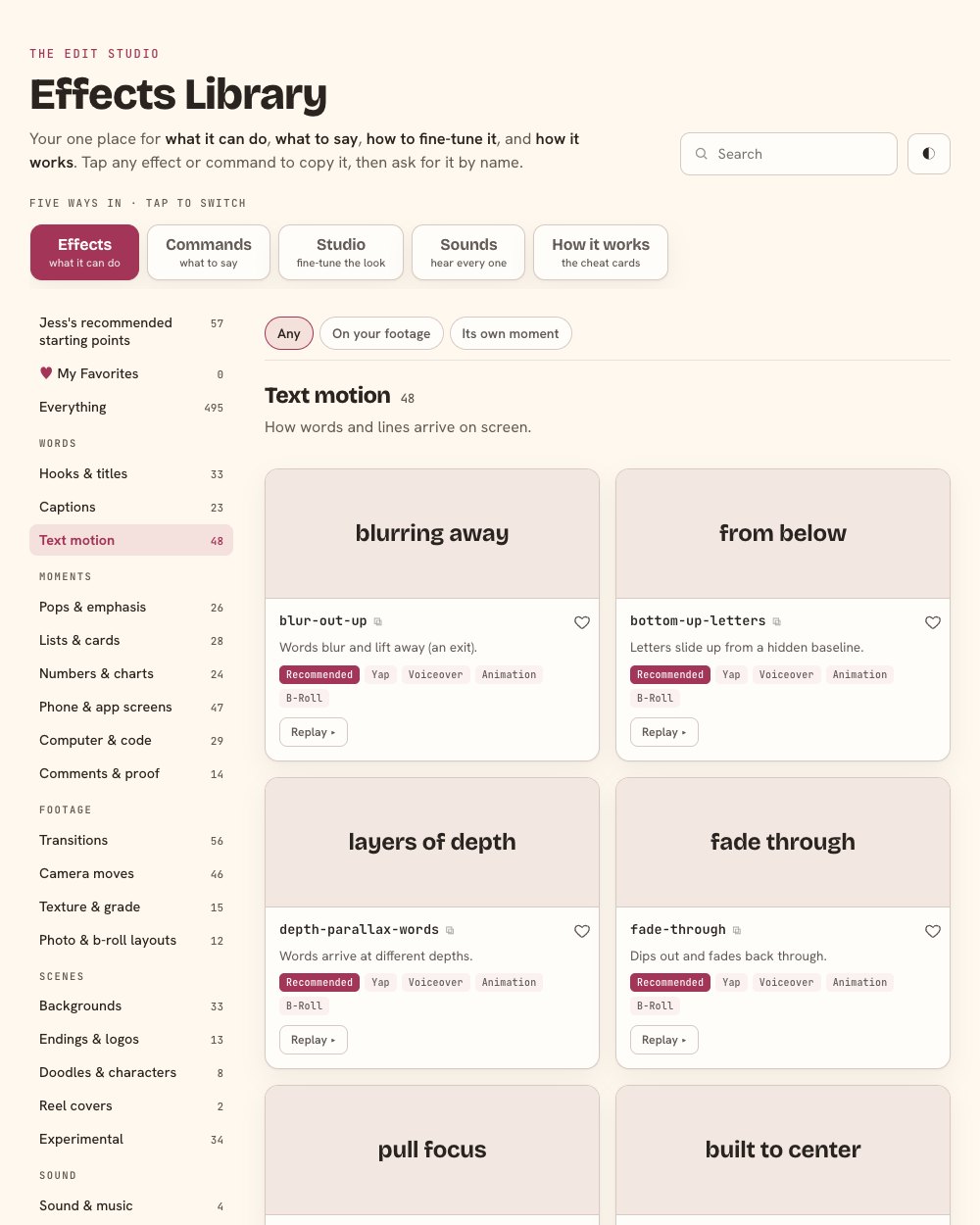
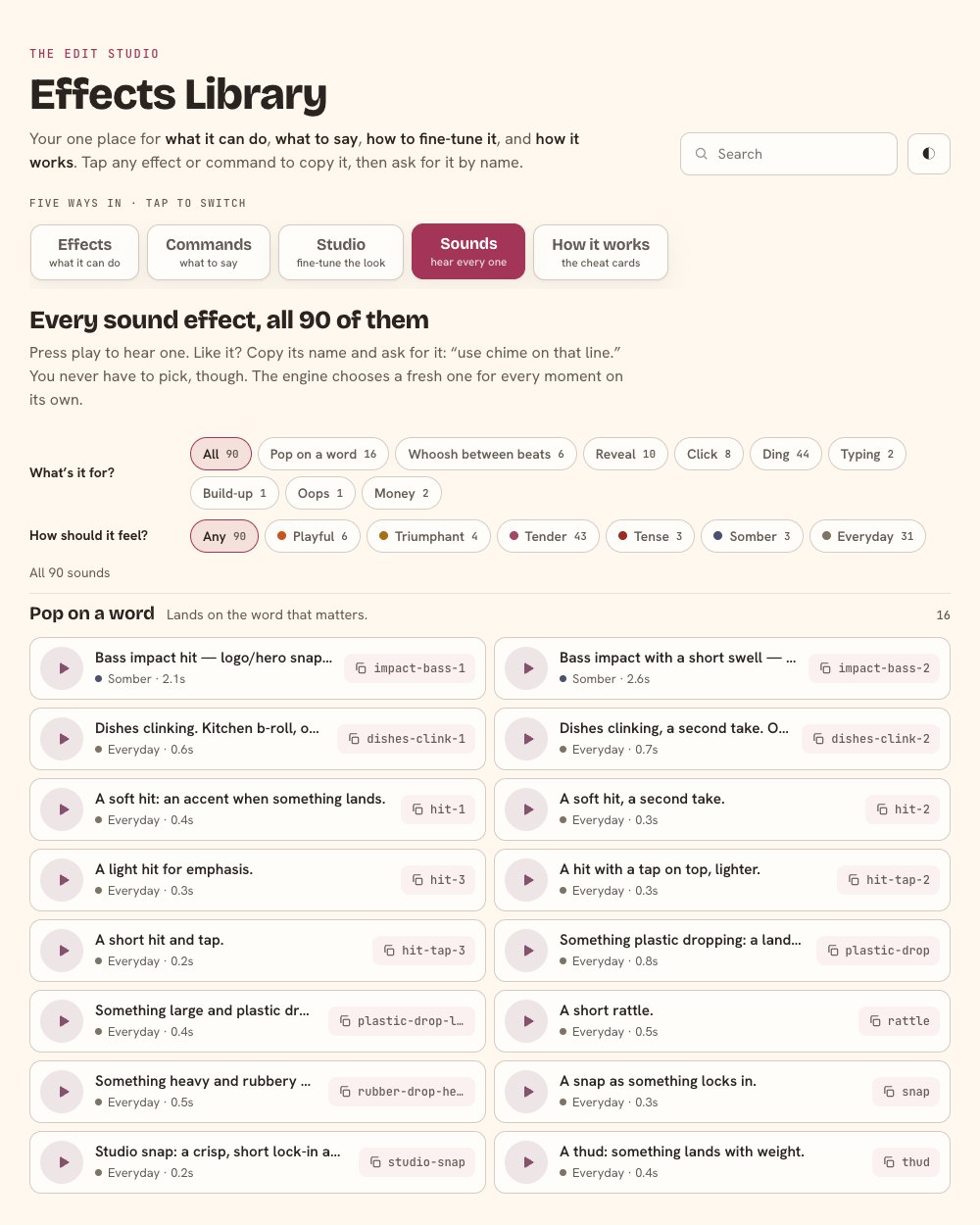
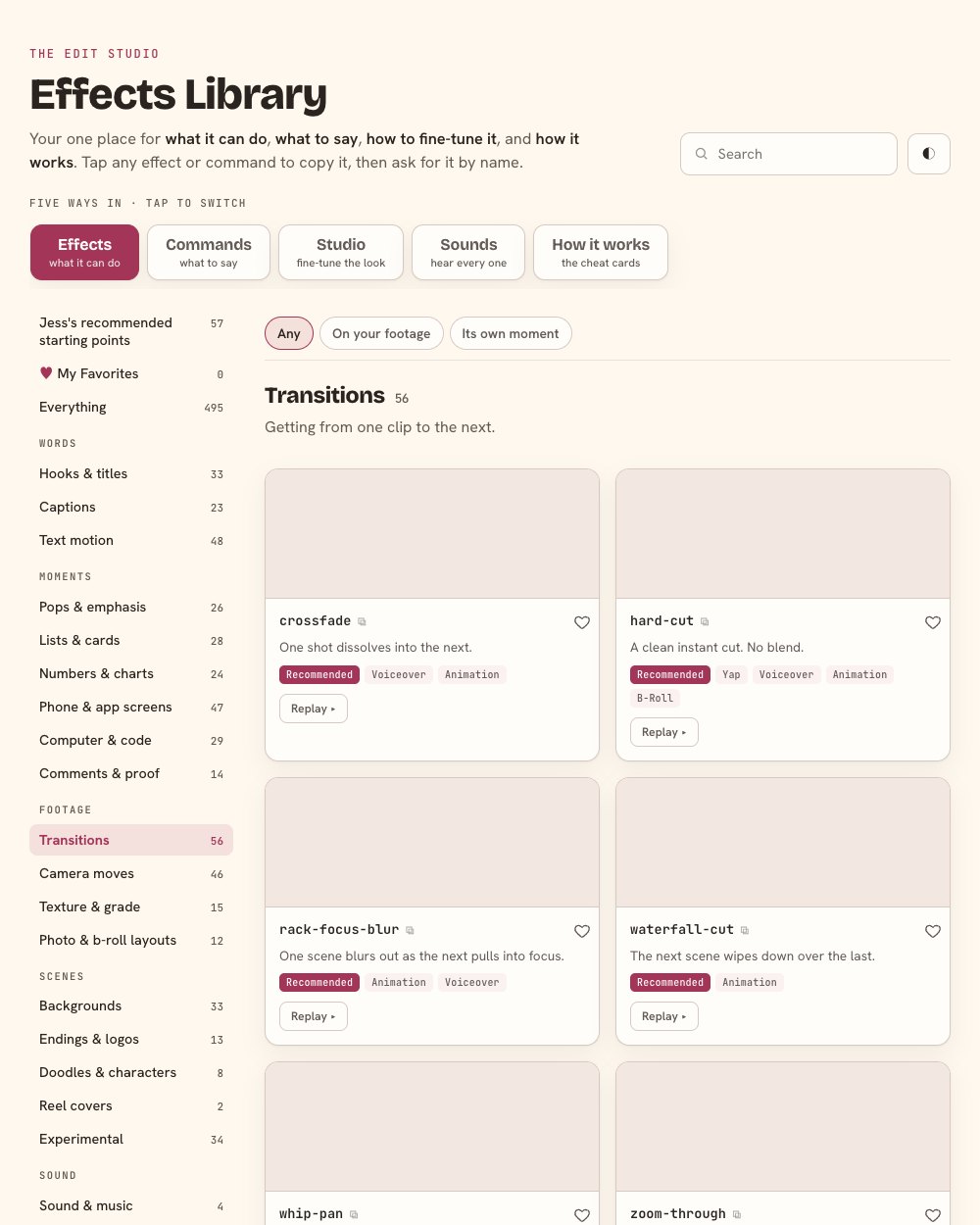
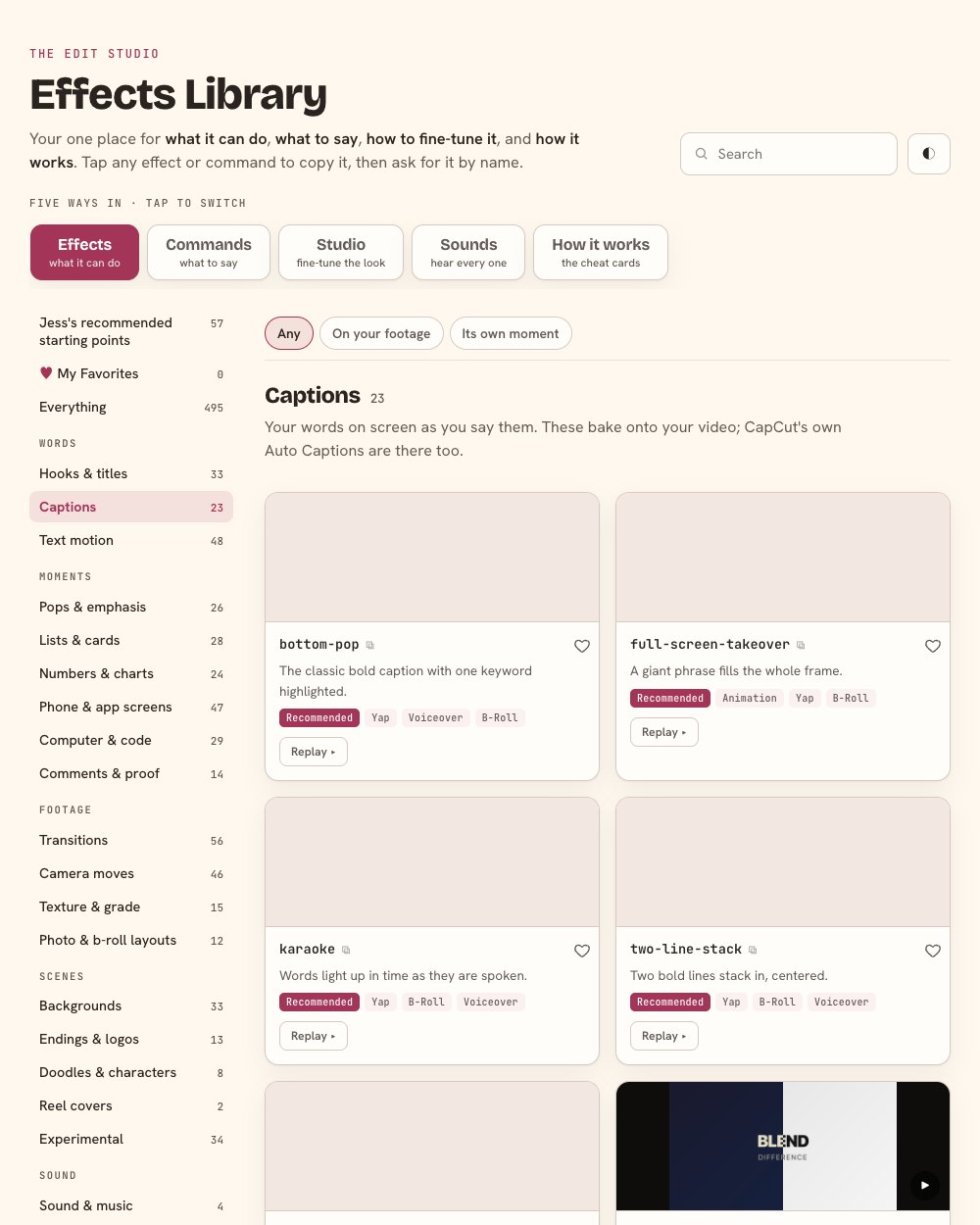
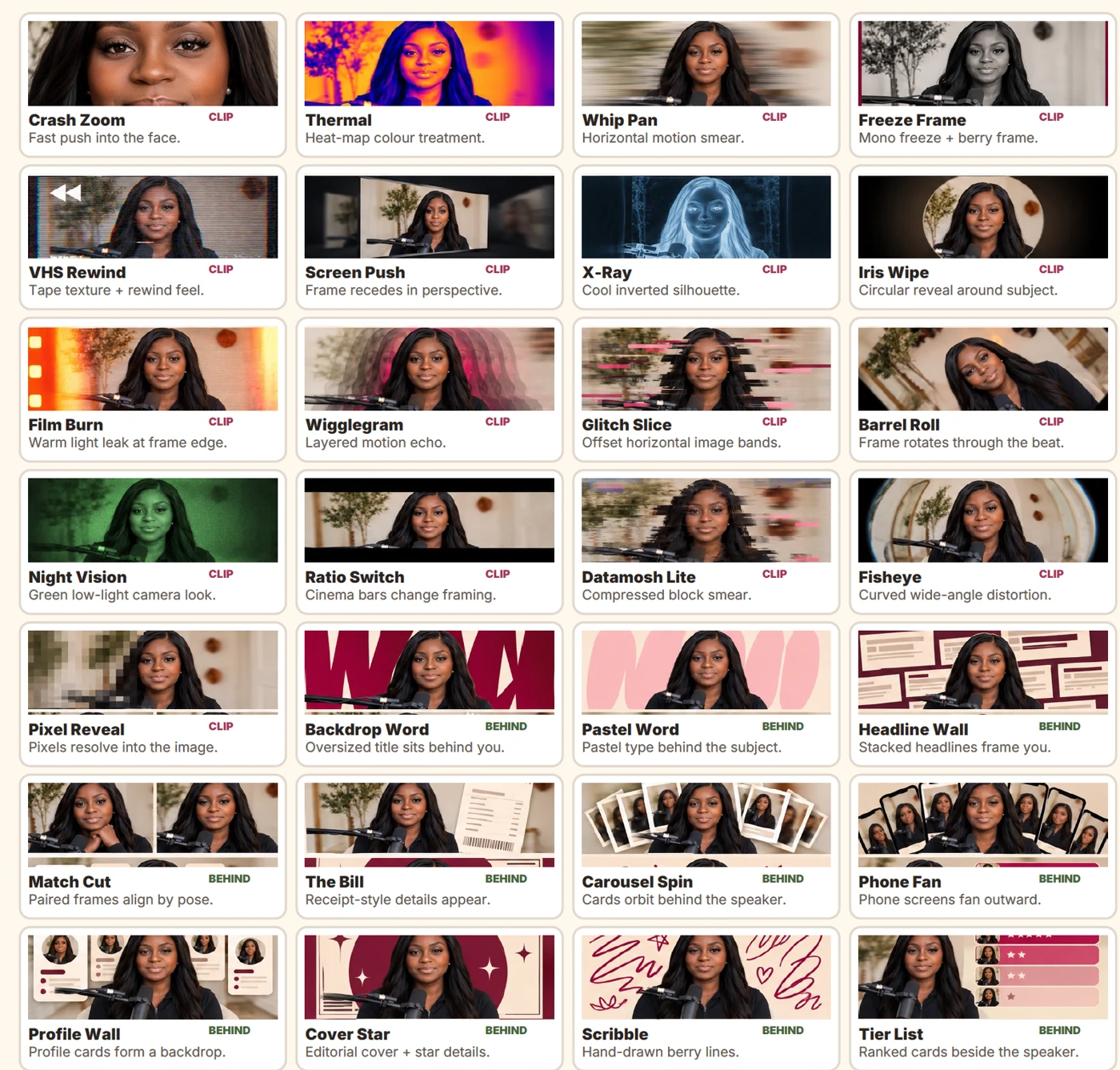 Your effects library · tap to explore
Drop in your video.
Let Claude handle the edit.
A LITTLE TASTE OF WHAT YOU CAN MAKE
From a phone fan reveal to a carousel that moves. Watch the previews, then ask Claude for the look you love.
SEE THE DIFFERENCE
TRIAL REELS · INCLUDED IN THE EDIT
Give your finished reel a different opening, a tighter cut or a new angle. Ask Claude to propose three trial versions, explain what changes, then choose the ones you want to make.
“Make three trial versions of my finished reel. Show me the new openings and what changes before building.”
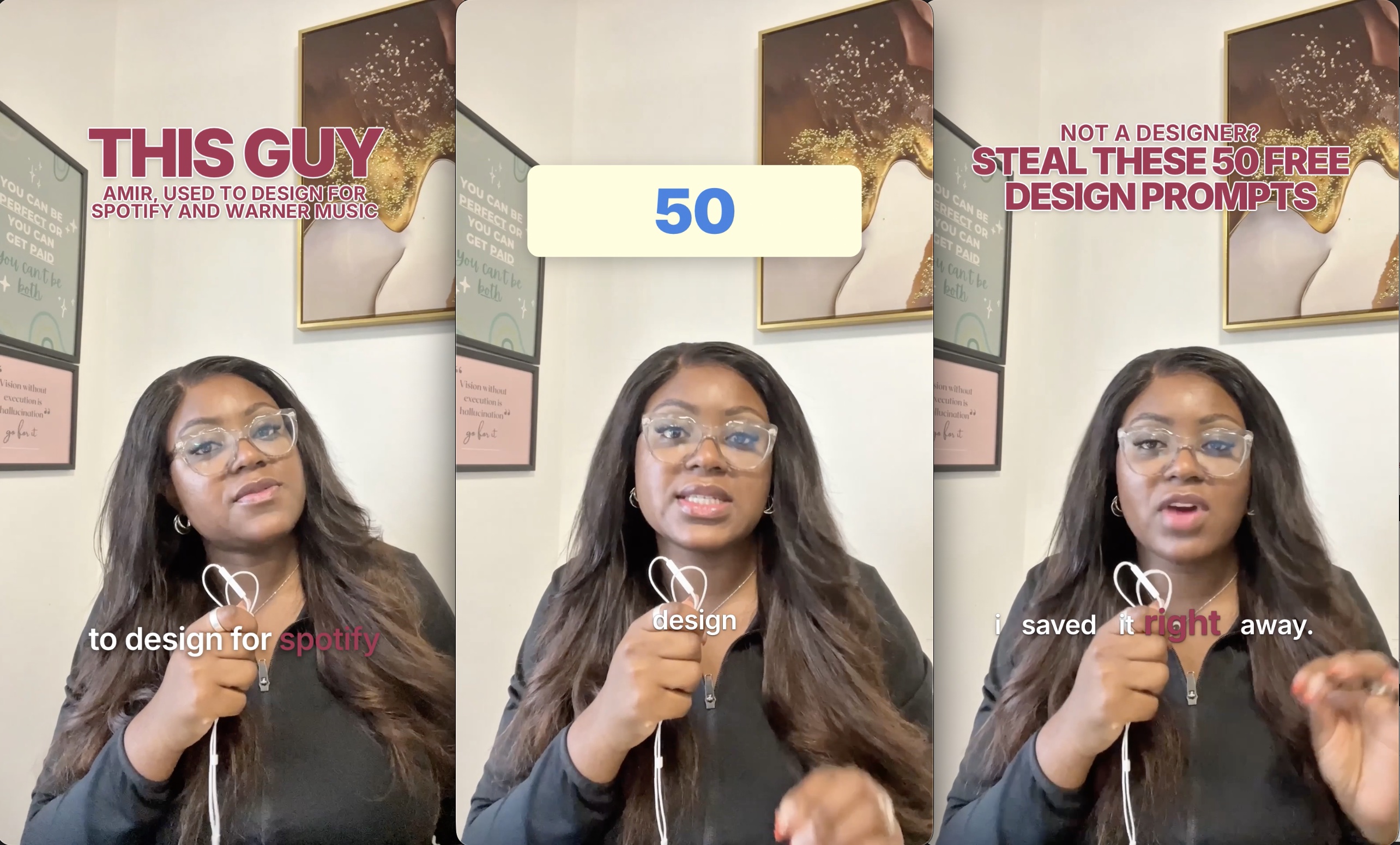
STORIES · INCLUDED IN THE EDIT
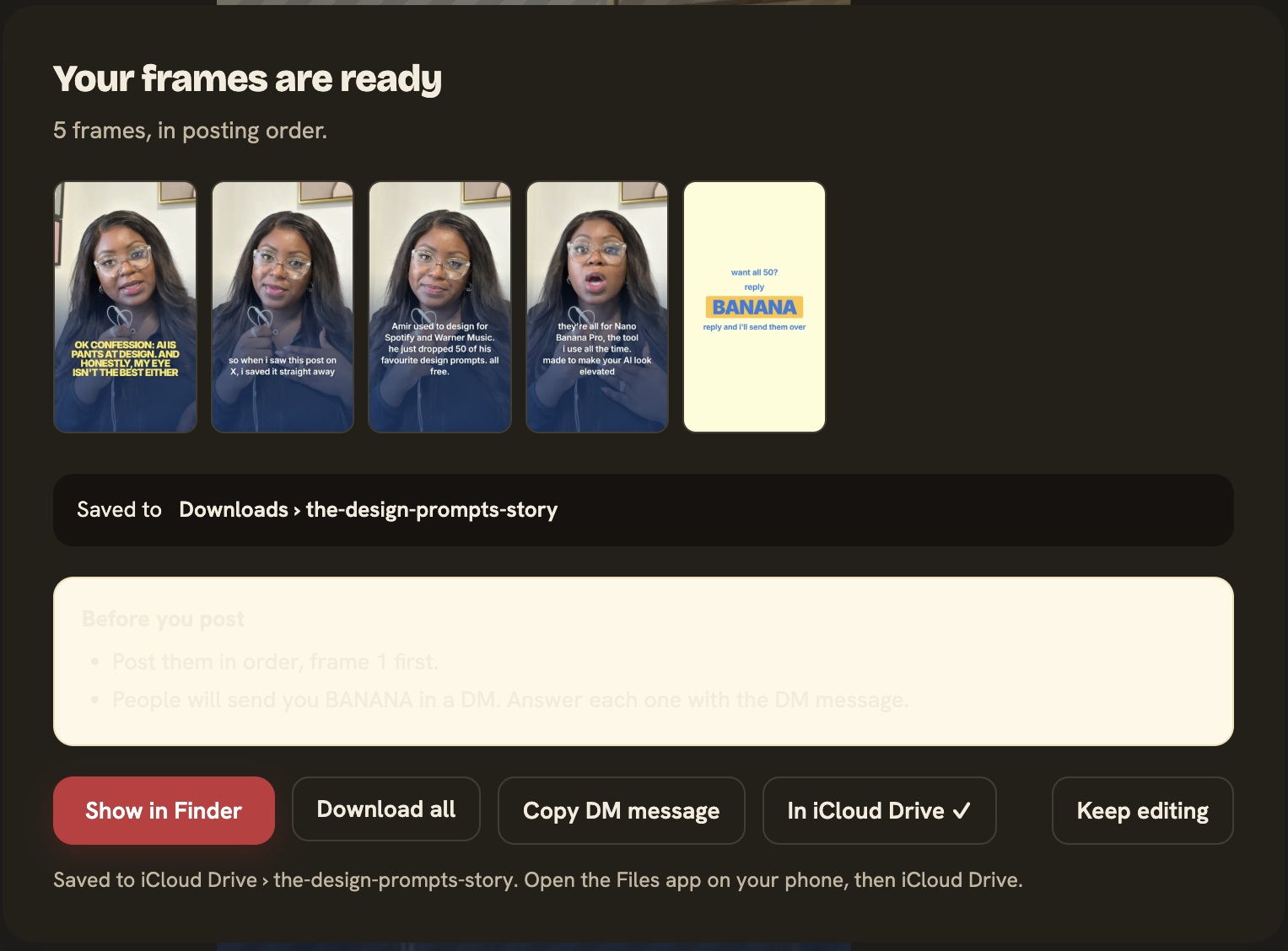
Turn your reel or idea into a sequence of Story frames. Tell Claude who it’s for, how many frames you want and what you’d like viewers to do next.
Choose the photos, edit the words and adjust each frame in the Story editor. Reorder, duplicate or leave space for a sticker, then export your frames when you’re happy.
“Make a Story sequence from my reel. Show me the frames so I can edit them before exporting.”
CAROUSELS · INCLUDED IN THE EDIT
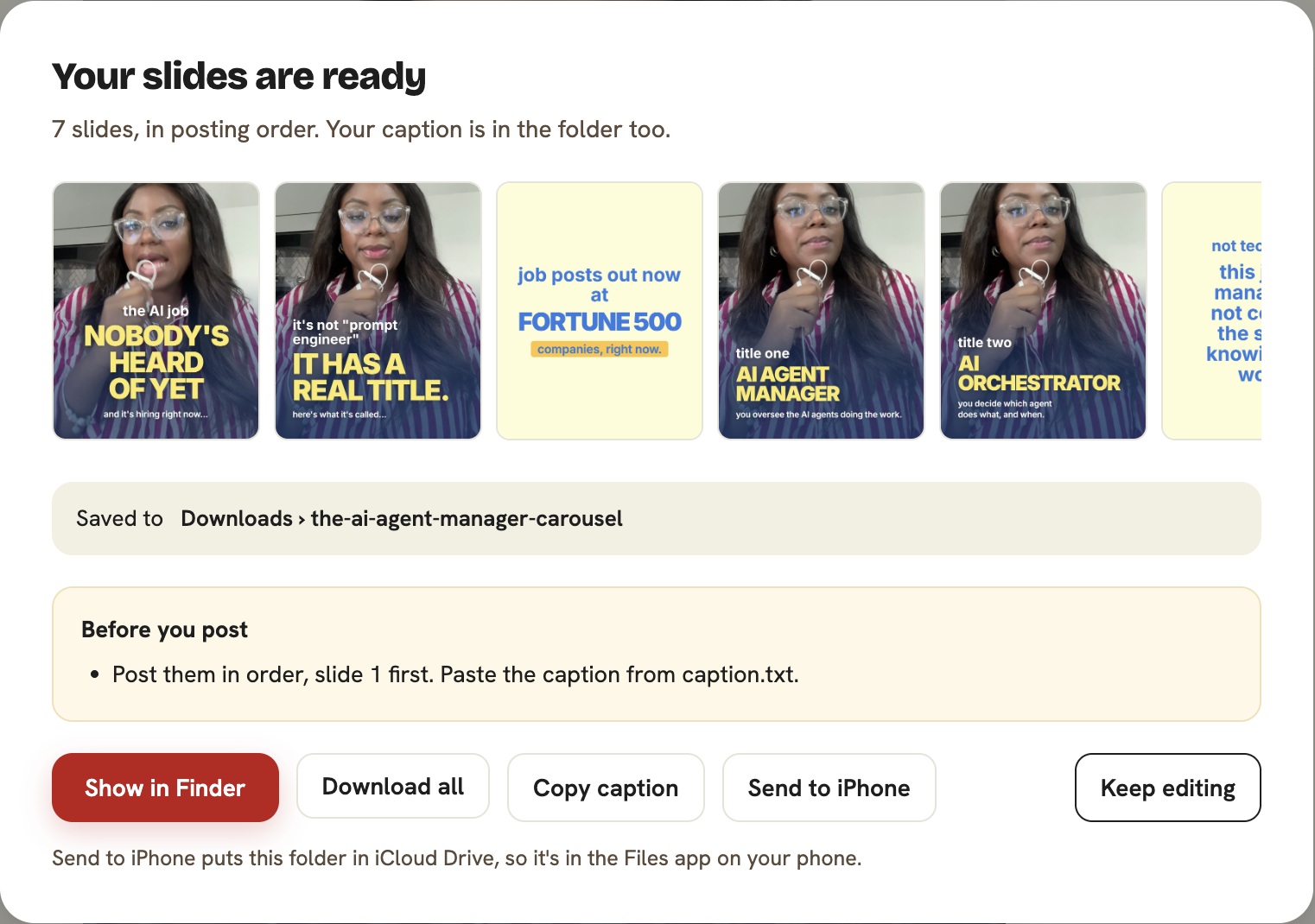
Give your video another life as a carousel. Ask Claude to shape the idea into slides, then review the words, photos and layout in the carousel editor.
Adjust the crops, change the text and put the slides in the order you want. Export the finished sequence with its accompanying caption, ready for you to post.
“Turn my reel into a carousel. Show me the slides and caption before exporting.”
YOUR EFFECTS CHEAT SHEET · INCLUDED
Your included Effects Library is your cheat sheet for the available effects. Browse animation, text, captions and transitions, or open the dedicated Sounds page to hear the sound cues. Find the name you want, then ask Claude to use it.
Real previews from your included library. Tap a photo to take a closer look.
YOUR VIDEO IN. YOUR REEL OUT.
Drop your video into Claude Code chat and say what you want to make. The Edit gives Claude the tools to take care of the edit for you.
Claude shapes the story, cuts the pauses and adds captions and finishing touches. Review your reel, ask for a tweak if you like, then export when you’re ready.
A little more you in every frame.A SMALL STUDIO IN YOUR FOLDER
Four editor stages take your reel from first cut to finished export.
Read your transcript, trim what you don’t need and ask Claude for changes. Play it back, send your cut and lock it in.
Choose captions and looks, browse the lookbook and review each moment on your footage. Lock in your looks when they feel right.
Preview and swap sound cues, or add music under your voice. Check the timing and balance, then move to Finish.
Review your reel and any open requests. Choose a finished MP4 or an editable CapCut draft, then export and check the saved result.
YOUR NEXT REEL, MADE SIMPLE
Tell Claude what you want. The Edit takes care of the editing.
Add your video to the Claude Code chat and say what kind of reel you want.
Claude shapes the story, cuts the footage and adds your chosen captions and style.
Your reel is ready to review. Ask for any changes, then export when it feels right.
IN THE DOWNLOAD
Drop in a video and let Claude take care of the cut, captions and finishing touches.
Lifetime access — all future updates included
Visual reel editor and Claude-assisted edit requests
Reel workflows for cuts, captions, visuals and sound
Reusable brand kit and saved video styles
Carousel and Story creation, plus trial versions of your reel
Reference-reel workflows
Effects Library with sound cues, graphics and clip treatments
Effects cheat sheet for animation, text, sounds and more
Setup guide, creator templates and illustrated examples
A GOOD FIT IF…
Tell Claude the kind of reel you want. Claude handles the editing, and you can review the result whenever you like.
BEFORE YOU BUY
Yes. Pay once for lifetime access to The Edit, including all future updates. There is no recurring fee for The Edit. A paid Claude plan with Claude Code access is required, purchased separately and not included in this package.
No. You need a paid Claude plan with Claude Code access to use The Edit. Purchase it separately from Anthropic; it is not included in The Edit package.
Yes. Once The Edit is set up in Claude Code, drop your video into the project chat and ask for a reel. Claude helps shape the cut, captions, visuals and sound; you can review the result and ask for changes.
There’s a one-time setup in Claude Code. The included guide walks you through it, including the tools needed to edit and export. You don’t need editing experience, and CapCut is optional.
Yes. Tell Claude what you want, then it handles the editing steps in The Edit. You can review your reel and ask for a change at any point.
The Edit Studio is delivered as a ZIP folder with its setup guide, workflows, templates and supporting files. Keep the hidden .claude folder when you unzip it; that folder contains the Claude Code workflows.
YOUR NEXT REEL STARTS HERE
Drop your video into Claude Code chat. Claude handles the edit, then you review your finished reel and ask for changes if you want.
THE EDIT · LIFETIME ACCESS
—USD · one payment
Yours for life. All future updates included.
Checking the current offer…
Instant download · lifetime access · all future updates included
Questions before you buy? jessica@jessthetechie.com